
Table of Contents
ToggleOn Page SEO Checklist For Small Businesses
A few months ago I audited a website for a small dental clinic. The founder had already paid an SEO agency for 8 months. The report looked impressive:
- 40 keywords tracked
- “On-page SEO optimized” pages
- Monthly ranking screenshots
But when we opened Google Search Console, the truth was simple:
- The site barely had impressions.
- The pages targeting services were thin.
- Title tags were stuffed with keywords like: “Best Dental Clinic Ahmedabad Dentist Teeth Treatment Dental Care.”
Technically, the agency had “done on-page SEO.” But practically, nothing helped the business get more patients. This happens constantly with small businesses.
Most SEO blogs publish checklists designed for SEO professionals, not for founders who need to protect their marketing budgets.
They tell you to:
- Add keywords everywhere
- Install plugins
- Optimize meta tags
But they rarely explain: Which actions actually improve rankings — and which ones are mostly cosmetic.
In my experience auditing dozens of small business websites, on-page SEO works best when it focuses on clarity, relevance, and structure, not tricks. This guide explains the real on-page SEO checklist I use during audits, with the mistakes I see most often.
Ground Reality: Why Most Small Business On-Page SEO Fails
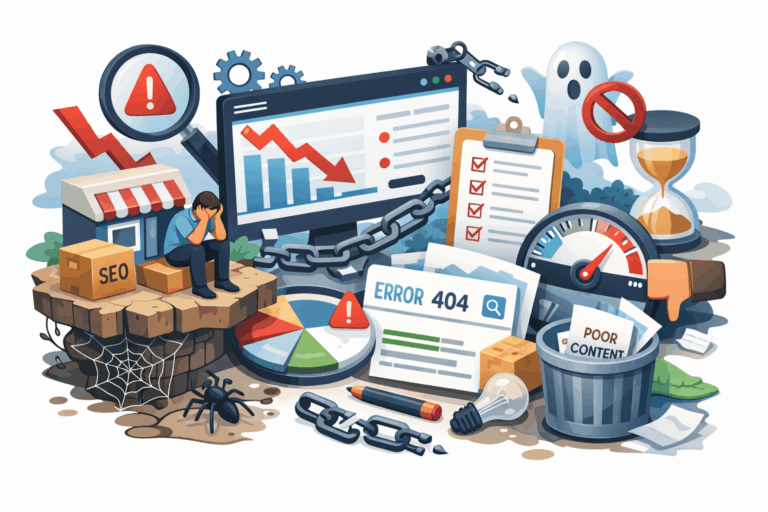
Before we jump into the checklist, let’s talk about the real issues. Because most ranking problems aren’t caused by missing meta tags — they’re caused by misunderstanding how search works. That’s why following a structured on-page SEO checklist for small businesses can help ensure your website pages are optimized correctly from the start.
1. Over-Optimization & Keyword Stuffing
Many small businesses still believe: “If I repeat the keyword more times, Google will rank me higher.”
This belief leads to pages that look like this: cBest digital marketing agency Ahmedabad offering digital marketing services in Ahmedabad for businesses looking for digital marketing in Ahmedabad.
It looks terrible for readers — and search engines now recognize that. Over-optimization is often a sign that someone followed outdated SEO advice from 2015.
2. Misunderstanding Meta Titles
Many agencies treat title tags as a keyword dumping area.
Example: Best SEO Company Ahmedabad | Top SEO Agency | SEO Services Ahmedabad
This might include keywords. But it doesn’t create click intent. Your title must compete with 10 other results on the search page.
3. Poor Content Structure
Another pattern I see:
- Random headings
- Huge text blocks
- No logical flow
Search engines rely heavily on content structure to understand topics. If your content isn’t organized, Google struggles to interpret relevance.
4. Ignoring Search Intent
This is the biggest mistake. A business page often tries to rank for keywords that require informational content, not service pages.
Example: Trying to rank a sales page for: “how SEO works”
Google usually ranks guides and explanations for that keyword. This mismatch prevents rankings.
5. Thin Pages
A surprising number of service pages contain only:
- 150–200 words
- No FAQs
- No examples
- No proof
Google struggles to rank pages that don’t provide meaningful information.
6. Weak Internal Linking
Many small business websites publish blog posts but forget to connect them to their core service pages. As a result, those articles may get some traffic but fail to support the pages that actually generate leads or sales. Internal links help search engines understand which pages on your site are important and how topics are related. When blogs never link back to relevant services, you lose an opportunity to guide both users and search engines toward your key business pages. In simple terms, valuable SEO signals stay isolated instead of strengthening the pages that matter most.
7. Confusion About Technical Elements
Founders often ask:
- “Do I need schema markup?”
- “Is my H1 correct?”
- “Do URLs affect ranking?”
These elements matter — but they rarely fix a fundamentally weak page.

Step-by-Step On-Page SEO Checklist
This is the checklist I use when auditing small business websites. Not every step moves rankings equally — and I’ll tell you which ones actually matter most.
Step 1: Keyword Intent & Page Purpose
What to Check
Before optimizing a page, answer one question: What problem is this page solving for the visitor?
Common page types:
- Service page
- Product page
- Blog guide
- Local landing page
Then confirm the keyword matches that intent.
Why It Matters
If the search intent doesn’t match the page type, rankings rarely happen.
Example:
- Keyword: “how dental implants work”
- Page: Dental implant service page
Google will rank educational content first.
Common Mistake
Targeting high-volume keywords that don’t match the page purpose.
Pro Tip
Search the keyword manually. If Google shows mostly guides, you need a guide — not a service page.
Step 2: Title Tag Optimization
What to Check
Each page should have:
- One clear title
- Primary keyword
- Reason to click
Example: Digital Marketing for Clinics in Ahmedabad – Strategy Guide for Healthcare Practices
Why It Matters
The title tag is one of the strongest relevance signals for a page.
Common Mistake
Stuffing multiple keywords.
Pro Tip
Think like a user, not an SEO tool. Would you click your own title?
Step 3: Meta Description & Click-Through Rate
What to Check
Meta descriptions do not directly improve your rankings in search results, but they play an important role in whether people actually click on your page. When someone sees your result on the search page, the description helps them quickly understand what the page offers and why it might be useful. A clear and relevant meta description can increase your click-through rate (CTR), which means more visitors from the same ranking position. Many small businesses ignore this and leave auto-generated descriptions, missing a simple opportunity to attract more clicks.
Why It Matters
If users consistently skip your result, Google may assume the page isn’t useful.
Common Mistake
Auto-generated descriptions.
Pro Tip
Write descriptions that answer: “Why should someone choose this page?”
Step 4: URL Structure & Slug Clarity
What to Check
URLs should be simple.
Example: example.com/on-page-seo-checklist
Not: example.com/page?id=123seoarticle
Why It Matters
Clear URLs improve:
- crawlability
- user understanding
- internal linking
Common Mistake
Changing URLs frequently after publishing.
Pro Tip
Never change URLs without proper redirects.
Step 5: Heading Structure (H1–H3)
What to Check
- 1 H1
- Structured H2 sections
- Supporting H3s
Why It Matters
Headings help search engines understand content hierarchy.
Common Mistake
Multiple H1 tags.
Pro Tip
Use headings to structure ideas, not just keywords.
Step 6: Content Quality & Topical Depth
What to Check
Before optimizing any page for SEO, ask a simple but important question: Does this page fully answer the search query? If someone searches for a topic and lands on your page, they should find clear explanations, relevant details, and useful information that solves their problem or question. Many small business pages fail because they provide only basic or incomplete content. When a page truly covers the topic in depth, it increases the chances that both users and search engines see it as a valuable result.
Why It Matters
Search engines prioritize comprehensive content.
Common Mistake
Short service pages with no supporting information.
Pro Tip
Add:
- FAQs
- examples
- comparisons
- case studies
Step 7: Internal Linking Strategy
What to Check
Every important page on your website should receive internal links from other relevant pages. These links help search engines understand which pages are valuable and how different topics on your website are connected. When a page has no internal links pointing to it, it becomes harder for search engines to discover and prioritize it. For small businesses, strategic internal linking ensures that service pages and key content get the visibility and authority they need to perform better in search results.
Why It Matters
Internal links distribute authority across your website.
Common Mistake
Blog posts that never link to services.
Pro Tip
Every blog should link to:
- related blog posts
- relevant service pages
Step 8: Image Optimization
What to Check
Images should include:
- descriptive file names
- alt text
- compression
Why It Matters
Images affect page speed and accessibility.
Common Mistake
Uploading 3MB images directly from cameras.
Pro Tip
Compress images before uploading.

Case Studies From Real Audits
Case Study 1 – Local Clinic Website
Industry: Healthcare
Problem:
- Thin service pages
- no internal linking
- weak titles
Fixes implemented:
- Rewrote service pages
- structured headings
- improved titles
- added FAQs
Timeline: 4 months
Results:
- impressions increased 3x in Google Search Console
- appointment pages started ranking locally
Lesson:
Content quality mattered more than technical SEO.
Case Study 2 – Growing Service Website
Initial situation: A B2B website had many blog posts but poor structure.
Problems:
- overlapping topics
- duplicate pages
- no content hierarchy
Strategy:
- merged overlapping articles
- improved internal linking
- rewrote core guides
Outcome (6 months):
- steady traffic growth
- stronger rankings for core topics
Lesson:
Content consolidation often improves SEO more than publishing new pages.

Real Testimonials
“We spent months focusing on backlinks. After fixing the content and page structure, we finally started seeing patient inquiries from search.”
- Dr. Amit Patel – Founder, Dental Clinic
“The audit showed our pages weren’t answering patient questions. Once we added detailed content and FAQs, rankings improved gradually.”
- Riya Shah – Marketing Head, Dermatology Practice
“We thought SEO meant more keywords. Instead, we needed better pages.”
- Kunal Mehta – Owner, Local Service Business

Data Sources & SEO Context
Reliable SEO insights come from tools like:
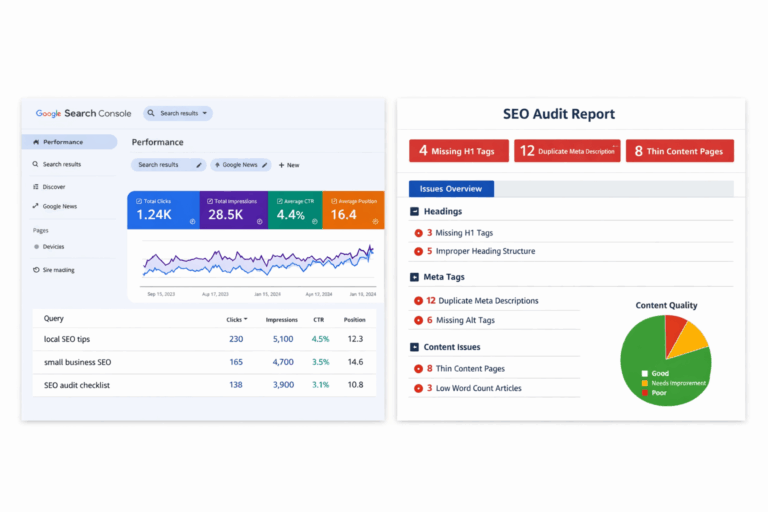
Google Search Console
This tool helps website owners understand how their pages perform in Google search results. It shows important data like search impressions, clicks, ranking queries, and indexing issues. For small businesses, it’s one of the most reliable ways to see whether SEO improvements are actually increasing visibility. Instead of guessing rankings, you can track real search performance and identify pages that need improvement.
Google Analytics
Google Analytics helps you understand what visitors do after they arrive on your website. It shows traffic sources, user behavior, time on page, and conversion paths. For small businesses, this data reveals whether SEO traffic is actually useful or if visitors leave without engaging. It helps connect SEO efforts with real business outcomes like inquiries or leads.
Professional SEO Audit Tools
Professional SEO audit tools help identify technical and on-page issues that might affect website performance. They scan pages to highlight problems like missing meta tags, duplicate content, broken links, or slow loading times. While these tools don’t replace strategy or content quality, they help small businesses spot structural problems that need fixing during an SEO audit.
Who This Guide Is NOT For
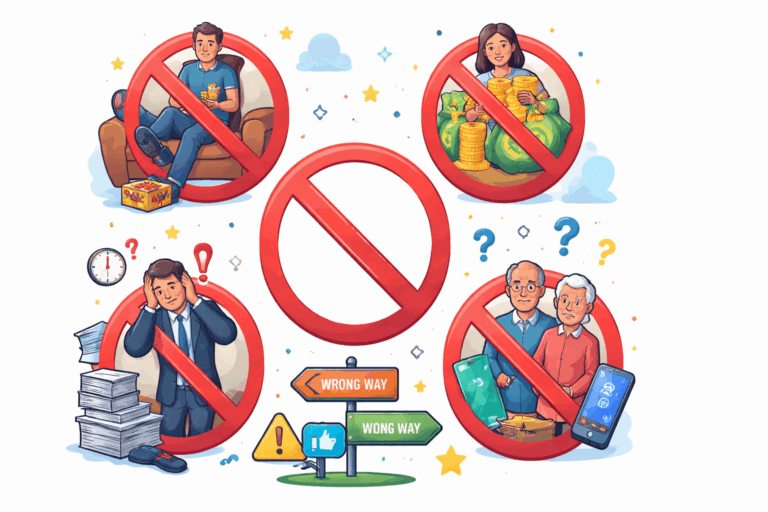
This guide will not help you if:
- you expect instant rankings
- you want shortcuts or SEO hacks
- your website has almost no real content
- you are unwilling to improve page quality
It also does not guarantee:
- #1 rankings
- viral traffic
- algorithm loopholes
- spam backlink tricks
Proof And Screenshot
Conclusion
On-page SEO isn’t about:
- adding more keywords
- installing plugins
- running automated audits
It’s about building pages that are:
- clear
- useful
- structured
When those fundamentals improve, search engines usually respond.
On Page SEO Checklist For Small Businesses: FAQS
Not usually — you also need strong content, backlinks, and website authority, but solid on-page SEO is the foundation.
Most websites start seeing improvements in about 3–6 months, depending on competition and site authority.
It’s useful but not critical — focus on quality content and clear page structure first.
Only if they explain strategy clearly; be cautious if they focus only on tools, rankings, or vague reports.
No. Focus on optimizing important pages like services, products, and key guides, not every single page on your website.
References
About the Author