
Table of Contents
ToggleDigital Marketing in Ahmedabad 2025 | Complete Business Guide
If you have published quality content, optimized your pages, and waited for weeks or months—but your website is still not appearing on Google—you are not alone.
“Why Is My Website Not Ranking on Google?” is one of the most common questions asked by website owners, bloggers, and businesses.
The truth is that Google rankings depend on much more than simply publishing a blog and adding keywords. Your website needs to be technically accessible, useful to users, relevant to search intent, trustworthy, and competitive compared with other pages targeting the same keyword.
In this guide, we’ll explain the most common reasons your website may not be ranking on Google and what you can do to improve your chances of earning better organic visibility.
Why Is My Website Not Ranking on Google?
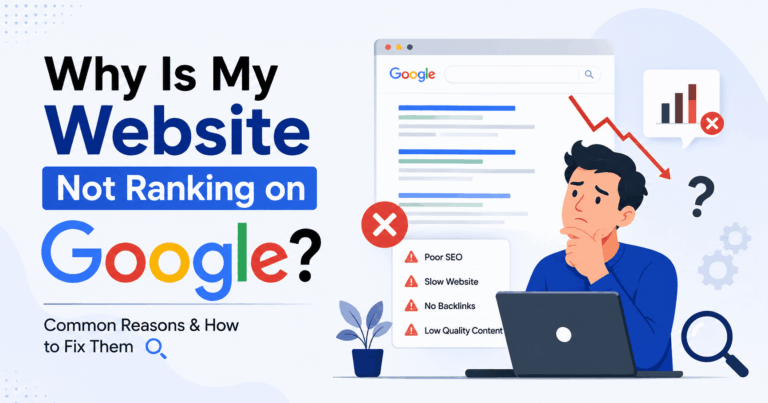
Your website may not be ranking because of problems related to:
- Poor keyword targeting
- Low-quality or unhelpful content
- Incorrect search intent
- Technical SEO issues
- Poor website indexing
- Slow website speed
- Weak internal linking
- Lack of backlinks and authority
- Strong competition
- Duplicate or thin content
- Poor mobile experience
- Incorrect use of robots.txt or noindex tags
The important thing to understand is this:
Google does not rank a website simply because it exists. It ranks pages that it believes provide the most useful and relevant answer for a particular search query.
Let’s explore the major reasons in detail.
1. Your Website Is Not Indexed by Google
Before worrying about rankings, you need to make sure Google has actually indexed your website.
If your pages are not indexed, they cannot appear in Google search results.
How to check whether your website is indexed
Search Google using:
site:yourwebsite.com
For example:
site:example.com
If Google does not show your important pages, there may be an indexing issue.
Common reasons pages are not indexed
- The page is new
- Google has not discovered the page yet
- The page has a noindex tag
- Robots.txt is blocking Google
- The page has technical errors
- The page contains very little useful content
- Google considers another page more important
How to fix it
You can:
- Submit your sitemap to Google Search Console
- Request indexing for important pages
- Check your robots.txt file
- Check for accidental noindex tags
- Add internal links to important pages
- Improve thin or low-quality pages
2. You Are Targeting the Wrong Keywords
One of the biggest reasons a website does not rank is poor keyword targeting.
Many website owners choose keywords based only on search volume.
For example, a new small business may try to rank for an extremely competitive keyword such as:
Digital Marketing
Competing against major brands and established websites can be extremely difficult.
Instead, you should focus on keywords that are:
- Relevant to your business
- Related to your audience
- Specific
- Realistically competitive
- Connected to your services or products
Example
Instead of targeting:
Digital Marketing
You could target:
- Digital marketing services for small businesses
- Digital marketing agency for local businesses
- SEO services for small businesses in India
- How to improve local business visibility on Google
Long-tail keywords can often attract more targeted visitors.
3. Your Content Does Not Match Search Intent
Search intent is one of the most important ranking factors to understand.
Google tries to determine what users actually want when they search for a keyword.
For example, someone searching:
Why Is My Website Not Ranking on Google?
is probably looking for:
- Reasons their rankings are poor
- SEO problems
- Technical issues
- Practical solutions
- A step-by-step explanation
They are not necessarily looking for a homepage selling products.
If your content does not match what users expect, it may struggle to rank.
The Main Types of Search Intent
Informational Intent
Users want information.
Examples:
- Why is my website not ranking on Google?
- What is SEO?
- How does Google indexing work?
Navigational Intent
Users want to find a particular website.
Example:
- Google Search Console
Commercial Intent
Users are researching services or products.
Example:
- Best SEO agency for small businesses
Transactional Intent
Users are ready to take action.
Example:
- Hire an SEO agency
Before creating content, always check what type of pages are currently ranking for your target keyword.
4. Your Content Is Too Thin
Google wants to provide useful results.
A page with only 300 words and basic information may struggle to compete against comprehensive, helpful resources.
Thin content often lacks:
- Detailed explanations
- Original insights
- Examples
- Practical solutions
- Clear structure
- Useful information
However, longer content alone does not guarantee rankings.
The goal should not be to write more words.
The goal should be to provide better answers.
Ask yourself:
- Does my content answer the user’s question completely?
- Does it provide useful examples?
- Does it explain the topic clearly?
- Does it offer practical next steps?
- Is it better than competing pages?
The entire process of digital marketing is not merely a matter of traffic–it is a matter of credibility.
Important Technical SEO Areas to Check
XML Sitemap
Your sitemap helps search engines discover important pages.
Robots.txt
Make sure important pages are not accidentally blocked.
Canonical Tags
Canonical tags help Google understand which version of a page should be considered the primary version.
HTTPS
Your website should use a secure HTTPS connection.
Broken Links
Fix important internal and external broken links.
6. Your Website Is Too Slow
Website speed can affect user experience.
If visitors leave your website because pages take too long to load, that can negatively affect your overall performance.
Common reasons websites become slow include:
- Large images
- Too many plugins
- Poor hosting
- Heavy themes
- Unnecessary JavaScript
- Too many third-party scripts
How to improve website speed
You can:
- Compress images
- Use modern image formats
- Remove unnecessary plugins
- Improve hosting
- Enable caching
- Minimize unnecessary scripts
A fast website creates a better experience for visitors.
7. Your Website Is Not Mobile-Friendly
Most Google searches happen on mobile devices.
If your website looks good on desktop but performs poorly on mobile, you may lose visitors and potential search visibility.
Check whether:
- Text is easy to read
- Buttons are easy to click
- Images fit the screen
- Pages load quickly
- Navigation works properly
Your website should provide a good experience across different screen sizes.
8. You Have Poor Internal Linking
9. Your Website Has Very Few Quality Backlinks
Backlinks can help demonstrate that other websites consider your content useful or valuable.
However, not all backlinks are equal.
A few relevant, trustworthy backlinks can be more valuable than hundreds of low-quality links.
Focus on earning backlinks through:
- Original research
- Helpful resources
- Industry content
- Digital PR
- Expert contributions
- Useful tools
- Shareable guides
Avoid buying large numbers of spammy backlinks.
Low-quality link-building strategies can create long-term problems.
10. Your Website Has No Topical Authority
Google often favors websites that demonstrate consistent knowledge about a topic.
For example, imagine two websites.
Website A
Publishes articles about:
- SEO
- Cooking
- Travel
- Fitness
- Cryptocurrency
Website B
Publishes detailed content about:
- SEO
- Technical SEO
- Keyword research
- Content marketing
- Local SEO
- Google Search Console
Website B has a clearer topical focus.
Building topic clusters can help establish stronger topical relevance.
11. Your Content Is Not Better Than the Competition
Google already has thousands or millions of pages available for many searches.
Ask yourself:
Why should Google rank my page instead of the pages already ranking?
Your content should offer something valuable.
You can improve your content by adding:
- Original experience
- Real examples
- Screenshots
- Case studies
- Expert insights
- Updated information
- Practical checklists
- Frequently asked questions
Don’t simply copy what your competitors are doing.
Try to create something more useful.
12. Your Website Is New
New websites often need time to build:
- Trust
- Content depth
- Authority
- Backlinks
- Search visibility
SEO is usually not an instant process.
Publishing one article today does not guarantee first-page rankings tomorrow.
A consistent SEO strategy is usually more effective than constantly changing your website.
Focus on:
- Publishing helpful content
- Fixing technical problems
- Building topical relevance
- Improving user experience
- Earning relevant authority
13. You Have Duplicate Content Problems
Duplicate content can make it difficult for search engines to understand which page should rank.
Common duplicate content problems include:
- Multiple URLs with similar content
- HTTP and HTTPS versions
- www and non-www versions
- Duplicate product pages
- Copied content
Make sure your important pages have clear canonical URLs.
Also, avoid publishing multiple articles that target exactly the same keyword without a clear difference in purpose.
14. You Are Not Updating Old Content
SEO is not a one-time activity.
Search behavior, competitors, and information can change.
Old content may gradually lose rankings.
Regularly review your important pages.
Update:
- Outdated information
- Statistics
- Examples
- Broken links
- Missing sections
You can also improve articles by answering additional questions users may have.
15. You Are Expecting Results Too Quickly
One of the biggest mistakes website owners make is expecting immediate SEO results.
Ranking improvements may take time depending on:
- Website competition
- Keyword difficulty
- Website authority
- Content quality
- Technical health
- Industry competition
SEO requires consistent improvement.
Instead of checking rankings every day, focus on improving meaningful metrics such as:
- Organic impressions
- Organic clicks
- Indexed pages
- Search queries
- User engagement
- Conversion performance
How to Check Why Your Website Is Not Ranking on Google
Here is a practical process you can follow.
Step 1: Check Google Search Console
Review:
- Indexing status
- Search performance
- Pages with errors
- Search queries
- Mobile usability issues
Look for pages that receive impressions but very few clicks.
Those pages may need improvements to their:
- Titles
- Meta descriptions
- Search intent
- Content quality
Step 2: Check Whether Your Pages Are Indexed
Search:
site:yourdomain.com
Then check whether your important pages are appearing.
If pages are missing, investigate indexing issues.
Step 3: Analyze Your Target Keyword
Search your keyword on Google and study the top-ranking pages.
Look at:
- Content format
- Search intent
- Topics covered
- Page structure
- User questions answered
Do not copy competitors.
Instead, identify information gaps that your content can fill.
Step 4: Improve Your Content
If your website is not appearing prominently in Google search results, the problem may involve several factors, including technical SEO issues, weak or outdated content, poor keyword targeting, limited backlinks, or a lack of clear search intent. Start by checking whether your important pages are indexed, improve the quality and usefulness of your content, optimize page titles and headings, strengthen internal linking, and build relevant authority over time. For a practical, step-by-step approach, learn how to improve your Google search rankings and identify the areas of your website that may be limiting its organic visibility.
Step 5: Improve Internal Linking
Connect related articles together.
Create clear topic clusters around your important services or topics.
Step 6: Fix Technical SEO Issues
Check for:
- Indexing problems
- Broken pages
- Slow pages
- Mobile problems
- Incorrect redirects
- Duplicate URLs
A Simple SEO Checklist for Better Google Rankings
Use this checklist when optimizing your website:
Keyword Research
- Choose relevant keywords
- Understand search intent
- Target realistic keywords
- Use long-tail keywords
Content
- Answer the user’s question clearly
- Create helpful and original content
- Add relevant examples
- Avoid keyword stuffing
- Update old content
Technical SEO
- Check indexing
- Submit XML sitemap
- Fix broken links
- Improve page speed
- Make the website mobile-friendly
Authority
- Build quality backlinks
- Publish useful resources
- Demonstrate expertise
- Build topical authority
Internal SEO
- Add relevant internal links
- Create topic clusters
- Use descriptive anchor text
Conclusion:
If you are asking “Why Is My Website Not Ranking on Google?”, don’t assume there is only one problem.
SEO performance usually depends on multiple factors working together.
Start by checking whether your pages are indexed. Then review your keywords, search intent, content quality, technical SEO, internal linking, and website authority.
The most sustainable SEO strategy is simple:
Create genuinely helpful content, make your website technically accessible, understand what users are searching for, and continuously improve your pages based on real search data.
Instead of trying to manipulate rankings, focus on building a website that deserves to be visible because it provides useful answers and a good experience for visitors.


